
Agencies are under pressure to do more than they did a few years ago. A client may come in for paid search and then ask about SEO, GEO, landing pages, social ads, and programmatic ads in the same quarter. That is a growth opportunity. It is also where advertising agencies get stretched thin.
Building software for every service line is slow, expensive, and usually unnecessary. Most agencies do not need to build a reporting dashboard, CRM, website builders, SEO crawler, or ad platform from scratch. They need reliable tools that fit their workflow, make client work easier to manage, and keep the team from hiring specialists for every new request.
Some tools also let agencies work under their own branding. That helps when the agency wants the client experience to feel consistent, even if the technology behind the work comes from a third-party platform. The point is not to pretend the agency built everything. The point is to give clients a clean service without reinventing software that already exists.
Table of Contents
Pay-per-Click Tools
Paid media can burn money quickly when campaigns are built on weak research. Agencies need keyword ideas, competitor context, ad copy references, and reporting that shows what is working.
Semrush PPC Toolkit
Semrush PPC Toolkit helps agencies with keyword planning, competitor research, campaign insights, ad copy analysis, and reporting. It is useful when a team wants to understand the paid search market before launching or rebuilding campaigns.
Keyword planning helps with account structure and budget decisions. Competitor research shows which terms other advertisers appear to care about. Ad copy analysis gives teams a better sense of messaging patterns in the market. That does not mean copying competitors. It means knowing what clients are up against before writing another generic search ad.
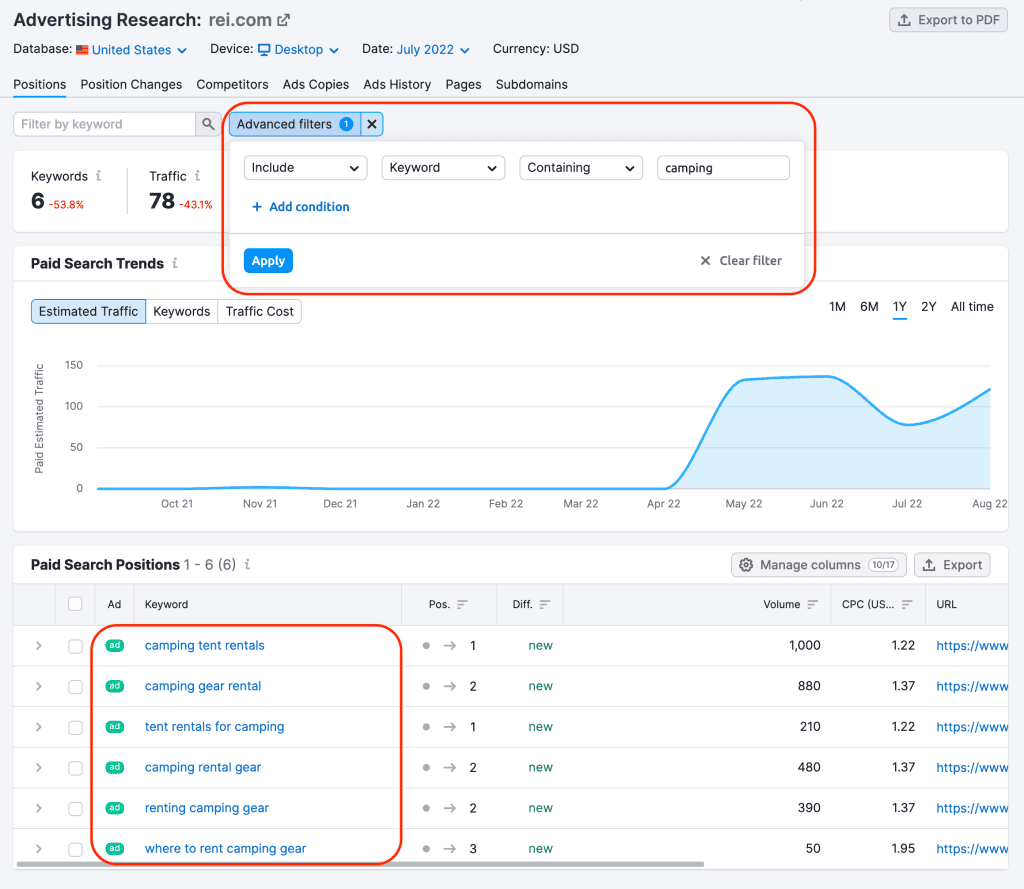
For agencies already using Semrush for SEO, the PPC tools can fit naturally into the same research process. The main caution is simple: data does not manage campaigns by itself. A tool can show patterns. A media buyer still has to make judgment calls.
SEO Tools
SEO work has too many moving parts to manage by instinct. Agencies need to track rankings, audit websites, watch competitors, monitor backlinks, and turn all of that into advice a client can act on.
SE Ranking
SE Ranking is a strong fit for agencies that need an SEO platform without making the workflow feel heavier than the work itself. It covers keyword tracking, website audits, backlink monitoring, competitor analysis, and SEO reports.
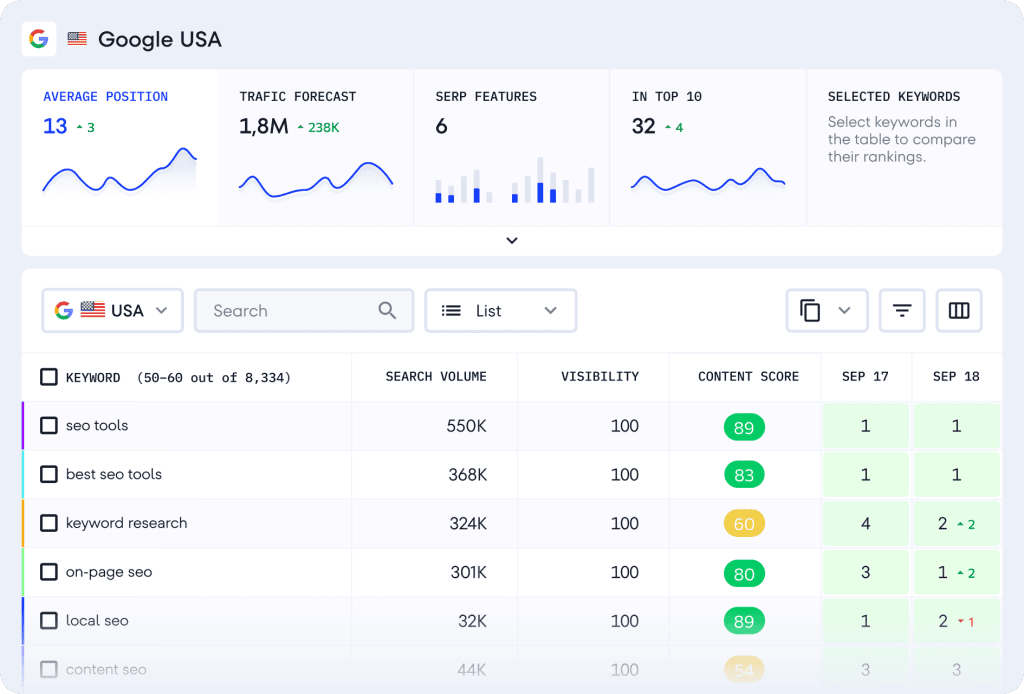
For account teams, the benefit is structure. A website audit gives a clear list of technical issues. Rank tracking shows whether target keywords are moving up or down. Competitor research helps explain why a client is losing traffic or where new content opportunities may exist. Backlink monitoring gives teams a way to spot risks and measure link-building work over time.
GEO Tools
People are starting to search differently. Instead of typing keywords into Google, they’re asking questions in tools like ChatGPT, Claude, and Gemini. That creates a new challenge for brands: are AI assistants mentioning them at all, and if they are, in what context?
GEO (Generative Engine Optimization) tools answer this question and help agencies monitor visibility across AI-powered search platforms and identify opportunities to improve it.
Ahrefs Brand Radar
Ahrefs Brand Radar tracks how your brand appears in AI-generated answers. It shows where your brand is mentioned, what topics you’re connected with, and how often competitors appear instead.
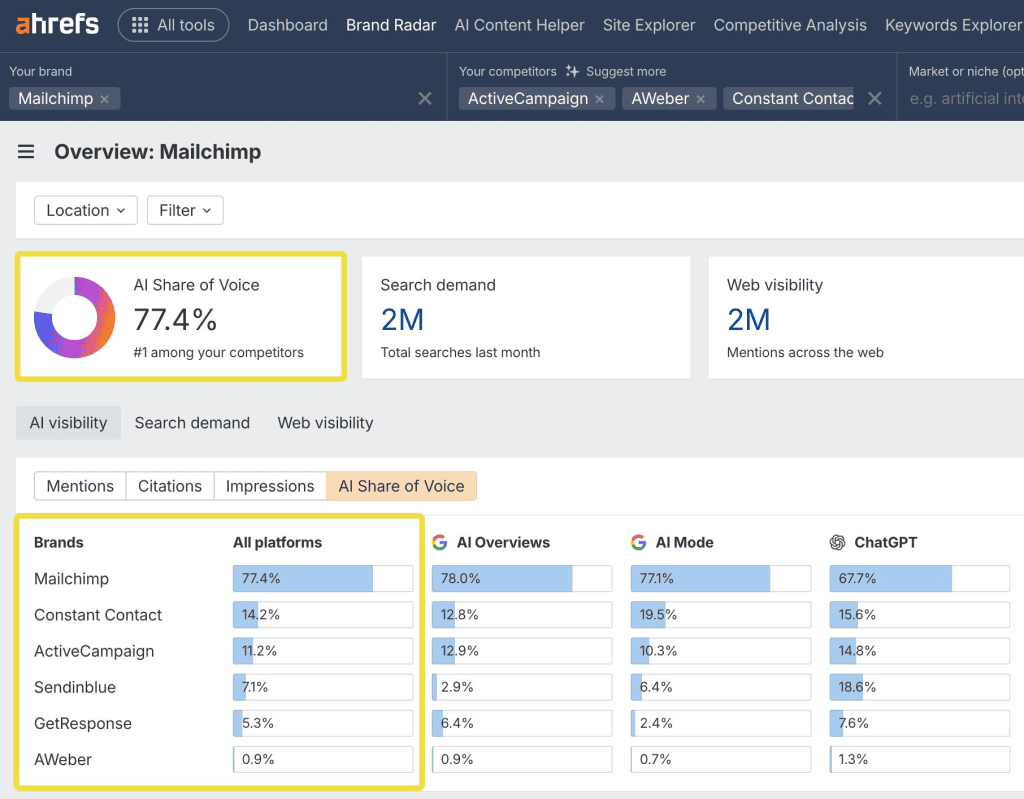
For agencies, this adds another way to measure a client’s online presence. A client may rank well in Google but rarely appear in AI-generated responses, or the opposite might happen. Brand Radar makes those gaps visible and helps explain why they’re happening.
The tool is especially useful for agencies that focus on SEO, content marketing, or digital PR. It helps connect content efforts with AI visibility and gives teams another way to show clients how their work is performing as AI search becomes part of everyday browsing.
Social Media Management Tools
Hootsuite
Hootsuite helps agencies manage social media work across multiple accounts. It includes a content calendar, scheduling, approval workflows, analytics, and multi-account management.
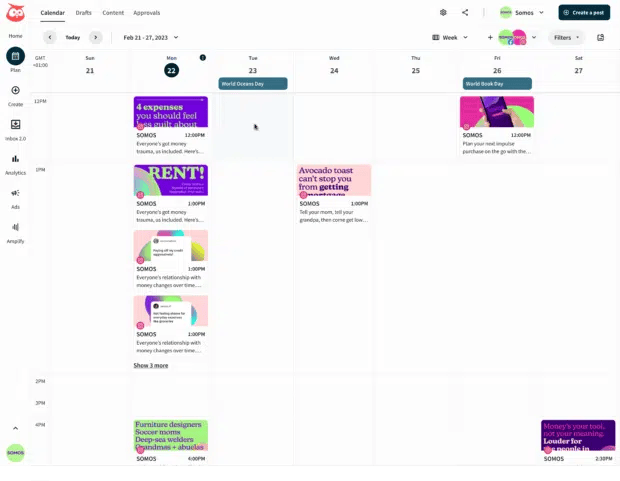
The content calendar is the everyday workhorse. Teams can see what is planned, what is waiting for approval, and what has already gone live. Scheduling keeps publishing on track, while approval workflows help protect brands from rushed posts or last-minute confusion.
CRM and Marketing Automation Tools
Agencies do not only manage client campaigns. Many also manage their own sales process, lead follow-ups, onboarding, and recurring client communication. A CRM becomes more important as soon as the agency stops relying on memory and inbox searches.
HubSpot
HubSpot is one of the most widely used CRM platforms for agencies of all sizes. It combines contact management, sales pipelines, email marketing, automation, forms, meeting scheduling, and reporting in a single platform.
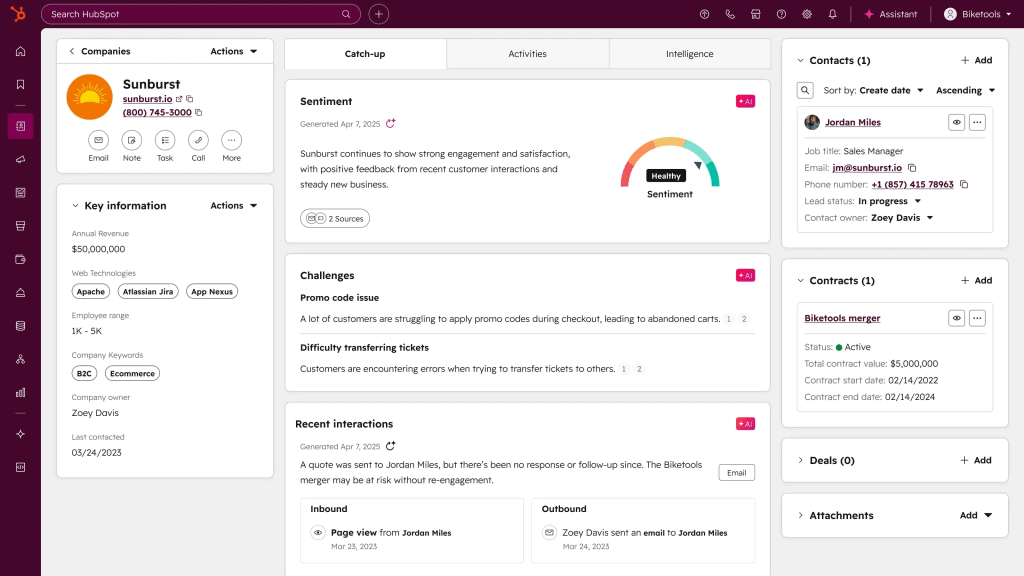
That means a new lead can submit a form on your website, appear in the CRM instantly, receive a follow-up email, book a call, and move through the sales pipeline automatically. Instead of switching between several tools or updating records by hand, the whole process happens in one place.
Client work often gets scattered across email, shared folders, project boards, invoices, and meeting notes. That might work with three clients. It breaks with thirty. HubSpot is also a strong choice for agencies that want to standardize their operations. Whether you’re selling monthly retainers, one-off projects, or packaged services, the platform helps organize every stage of the customer journey. As the business expands, additional marketing, sales, and customer service tools can be added without switching to a different system.
Email Marketing Tools
Email remains one of the most practical channels for agencies. It is used for newsletters, lead nurturing, product updates, lifecycle campaigns, and post-purchase communication. The hard part is keeping lists clean, messages relevant, and performance easy to read.
Mailchimp
Mailchimp is a familiar option for email marketing. It includes audience segmentation, automation workflows, email templates, campaign analytics, and CRM features.
For agencies, Mailchimp is often useful because clients already recognize it. That shortens the onboarding conversation. Teams can build newsletter templates, segment audiences by behavior or profile data, and set up automation workflows for welcome emails, abandoned carts, event reminders, or reactivation campaigns.
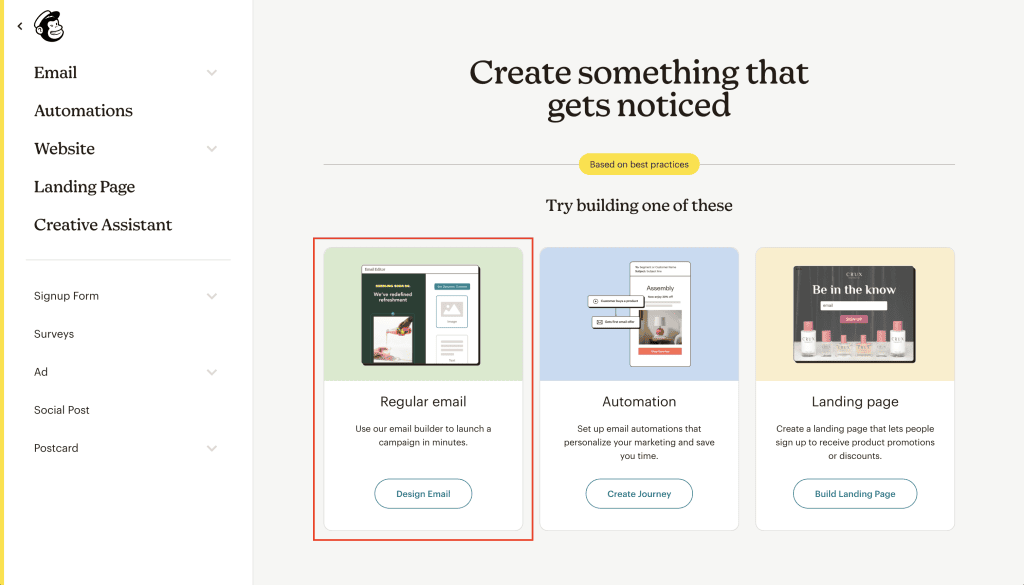
The analytics help teams see what people opened, clicked, ignored, or unsubscribed from. That feedback matters. An email strategy should not be based on what the client likes in a meeting. It should be based on what subscribers actually do.
Website and Landing Page Builders
Many campaigns need a destination page. Waiting for a developer every time a client needs a lead form, event page, product test, or campaign landing page can slow the whole agency down.
Webflow
Webflow gives agencies a visual builder, templates, hosting, forms, analytics, and team collaboration. It is a good option when the agency wants more design control than a basic page builder gives, but does not want every page to become a custom development project.
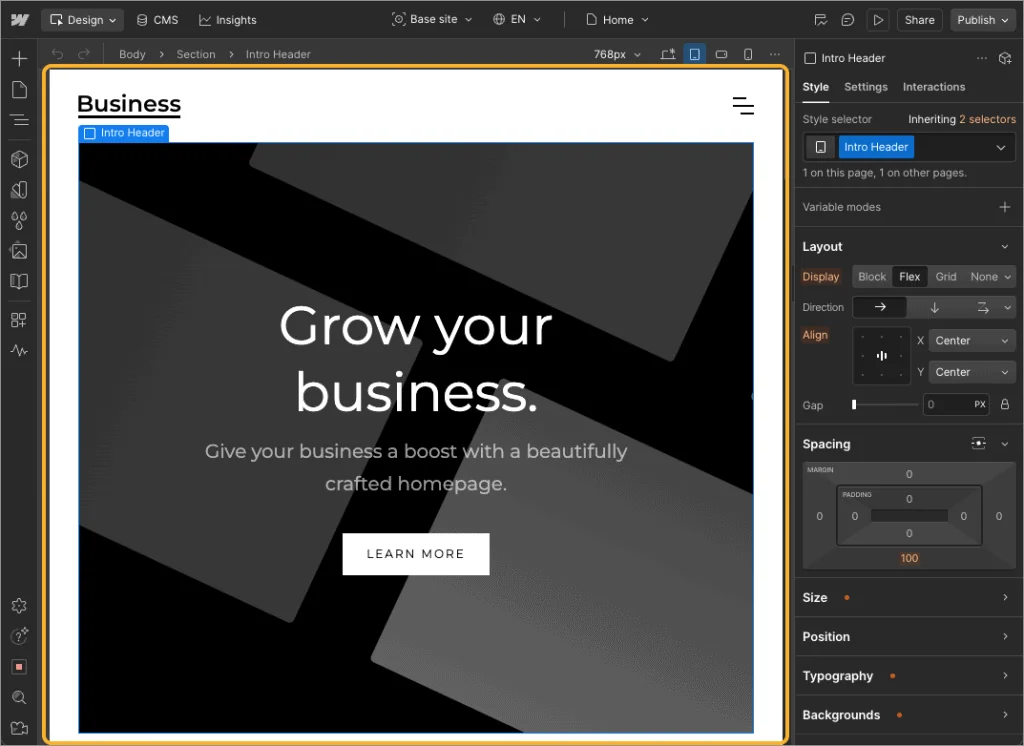
Templates can speed up production, especially for common page types. The visual builder lets designers and marketers make changes without passing every update through engineering. Built-in hosting and forms also reduce the number of tools needed to publish a working page.
Webflow is best when the agency has someone who understands web structure, not just design. A fast landing page with clear copy and a clean form will beat a pretty page that loads slowly or confuses the visitor.
AI Content Tools
AI content tools are now part of many agency workflows. The smart way to use them is as support for writers, strategists, and editors, not as a replacement for them. A draft is not a strategy. A prompt is not a brand voice. And a fast blog post is not automatically a good blog post.
Jasper
Jasper is one of the better-known AI content tools for marketing teams. It has brand voice features, templates, campaign asset support, collaboration tools, and content draft generation.
Agencies can use Jasper for blog outlines, ad copy variations, social posts, email drafts, and content briefs. That can save time at the start of a project. The human work still matters: choosing the angle, checking facts, cutting generic lines, and making the piece sound like the client.
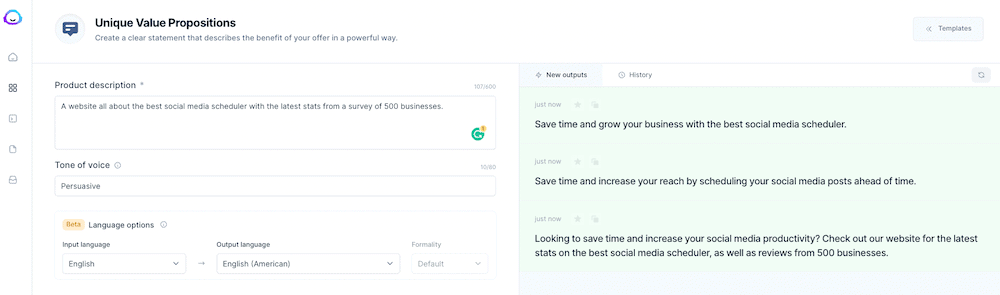
Used well, Jasper helps a team get from blank page to workable draft faster. Used lazily, it creates the same bland content everyone else is publishing. Agencies should treat it like a junior assistant with speed, not a senior strategist with taste.
Programmatic Advertising Platforms
Programmatic advertising is a different kind of agency work. It is not only about writing ads or setting up campaigns. Publishers, agencies, and media companies also need ways to manage digital advertising inventory, connect supply and demand, monitor performance, and optimize monetization.
Adtelligent Ad Server
Adtelligent SSP helps publishers, agencies, and media businesses manage inventory, connect with demand partners, optimize pricing, and improve advertising revenue through transparent reporting and optimization tools.
For agencies working with media owners or companies that sell ad inventory, this matters. Adtelligent has supply-side platform capabilities, publisher and inventory management, demand integrations, OpenRTB support, multiple ad formats, floor price management, traffic quality controls, reporting, and real-time optimization.
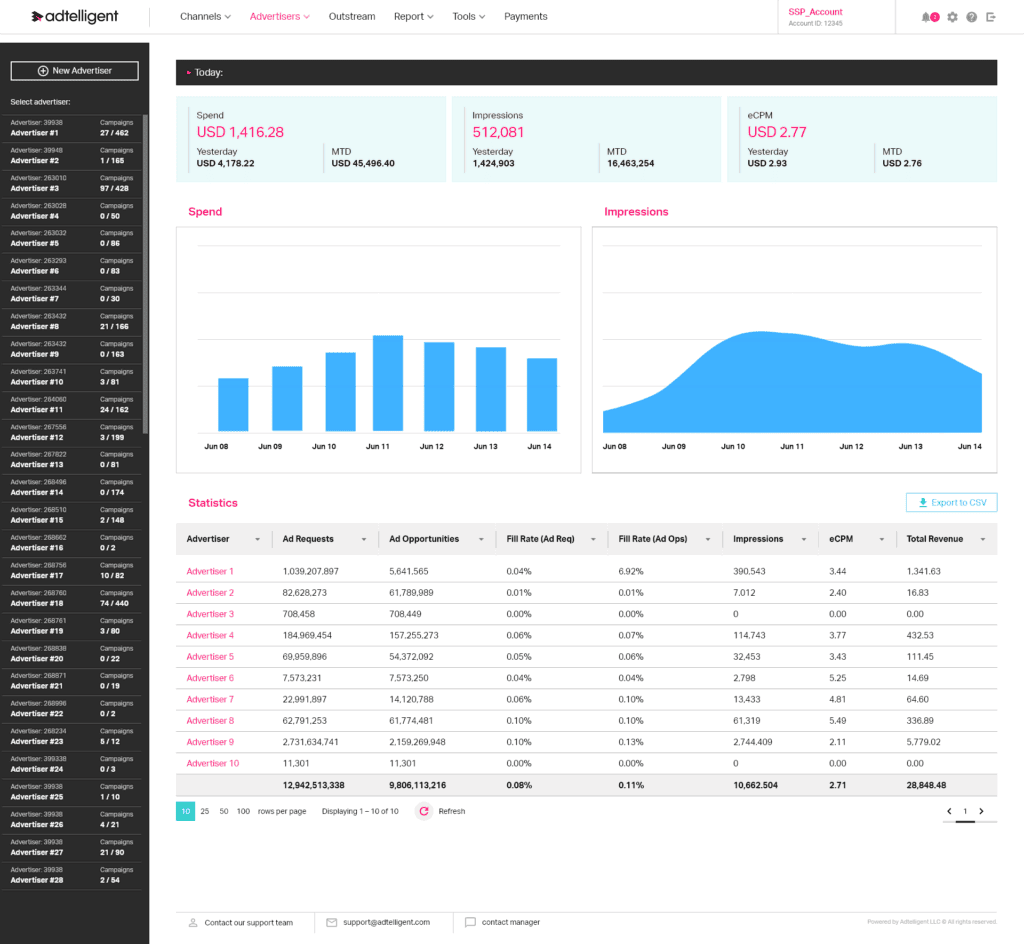
Those features help teams make better decisions about how inventory is sold and priced. Floor price management, for example, can affect revenue quality. Traffic quality controls help protect the value of inventory. Reporting gives teams a clearer view of what is happening across demand sources and formats.
For more background on this type of setup, Adtelligent explains the idea in its guide to white-label ad platforms.
Reporting Tools
Reporting looks simple until it eats half of Friday. Clients want to know what happened, what changed, and what the agency plans to do next. They do not want ten screenshots from five different platforms.
Whatagraph
Whatagraph is useful for agencies that need client dashboards and automated performance reports. It connects with platforms such as Google Ads and Google Analytics, then turns campaign data into dashboards clients can read without asking an account manager to explain every chart.
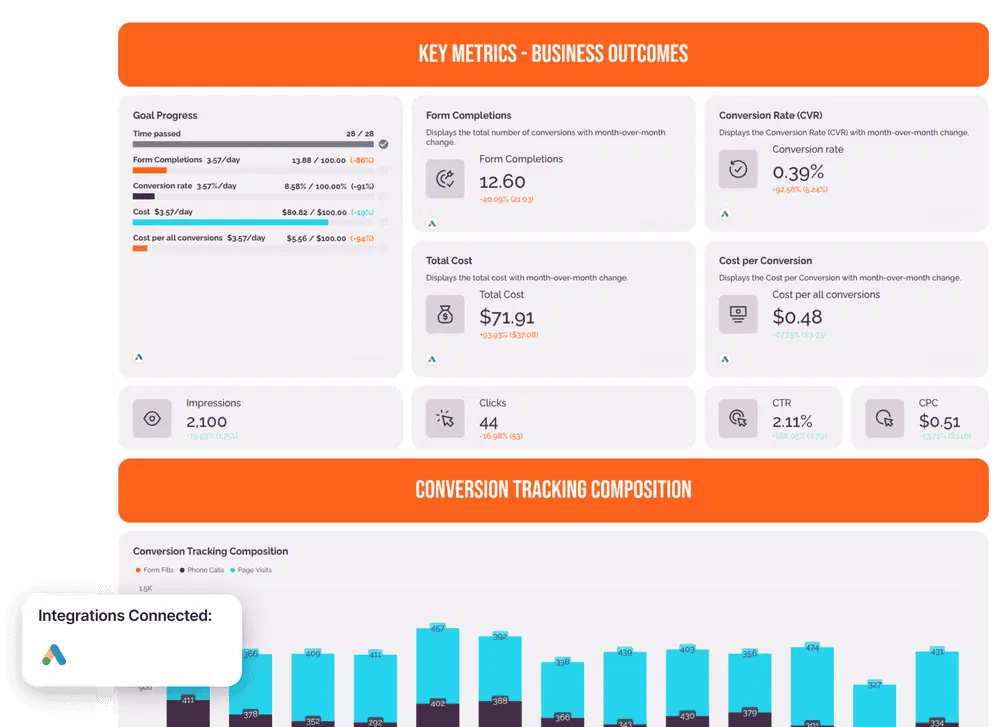
The real value is consistency. Teams can build report templates, customize them for different clients, and send reports on a schedule. Client access also matters. Instead of waiting for a monthly PDF, clients can check numbers when they need to. If reporting is still handled manually in spreadsheets, this is one of the first places to clean up.
How to Choose the Right Tool
The best tool is not always the one with the longest feature list. Ad agencies should choose based on how they actually work and what their clients truly need.
- Start with the agency service model. A paid media agency, SEO agency, creative studio, and local marketing agency will not need the same stack. Then look at client’s needs. Some clients want dashboards and approvals. Others care more about lead flow, ad monetization, or technical SEO fixes.
- Integrations matter too. A tool that does not connect with the systems already used by the team will create extra work. Usability is just as important. If only one person knows how to use a platform, the agency has a bottleneck.
- Pricing should be judged against time saved, and revenue supported, not only the monthly subscription. Reporting capabilities are also worth checking early. If the tool cannot explain results clearly to clients, the account team will end up doing that work manually.
- Scalability and support are the last pieces. A tool may work for five clients but fail at fifty. Onboarding and customer support can make a real difference when the agency is rolling a platform out across several teams.
Final Thoughts
Advertising agencies use different tools to manage campaigns, automate work, improve reporting, and add services without building software from scratch. Reporting platforms, SEO tools, social media systems, CRMs, email tools, page builders, client portals, and AI writing assistants all support the daily work of running client accounts.
Programmatic advertising platforms play a different but important role. Tools such as Adtelligent help companies manage digital advertising inventory and monetization more effectively, especially when they need demand integrations, pricing controls, traffic quality tools, and clear reporting.
The right stack should make agency work easier to run and easier for clients to understand. If a tool adds complexity without improving delivery, it is probably the wrong tool. If it saves time, improves client communication, and supports growth, it earns its place.