
We never stop improving at Adtelligent.
Over the past quarter, we’ve shipped a range of updates to our platform, from new features and partner integrations to behind-the-scenes improvements that make everything run smoother.
Take a look at what’s new:
Table of Contents
New Features & Tools
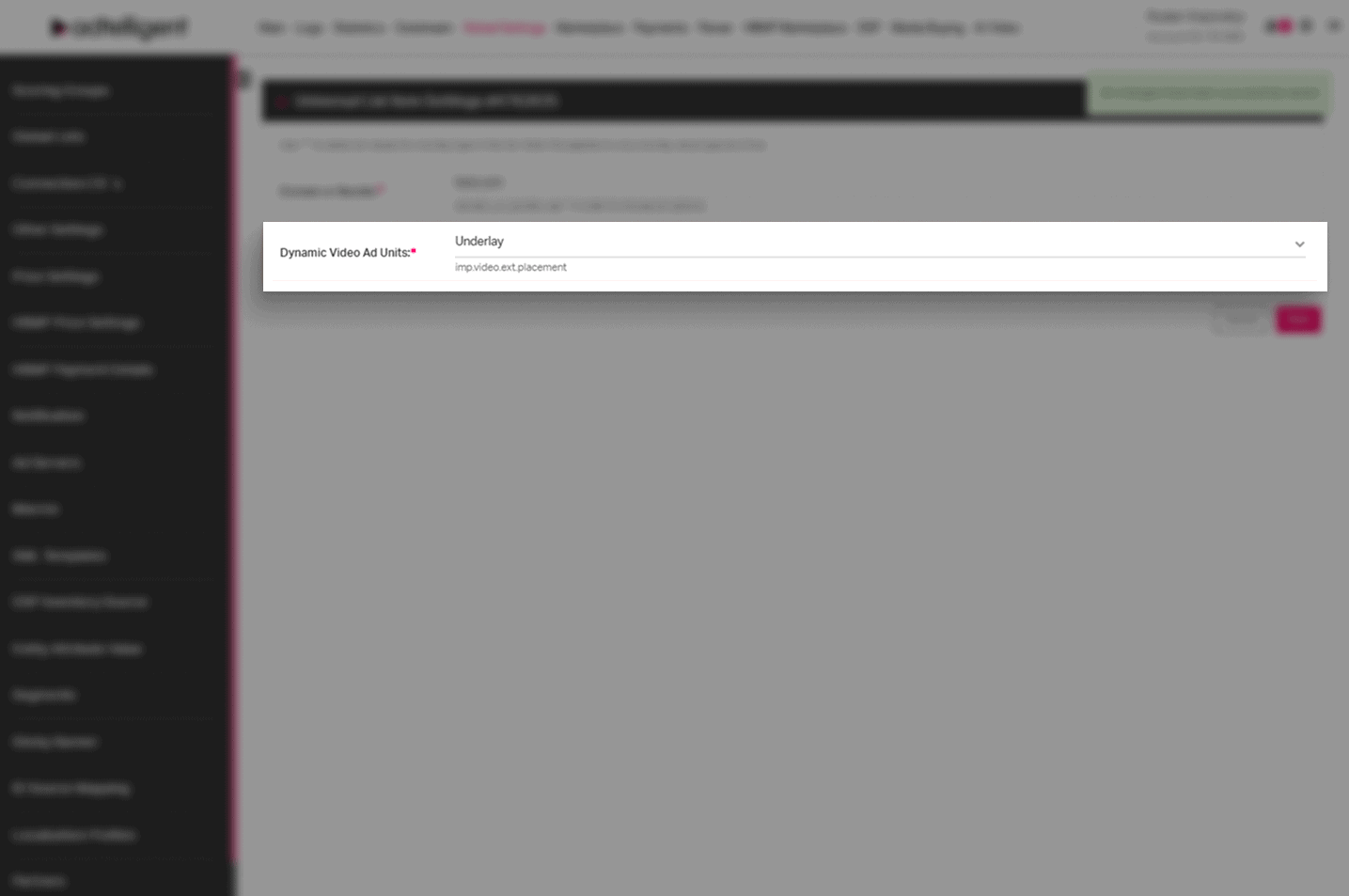
Dynamic Video Ad Units Added to Universal Lists
We’ve expanded Universal Lists with support for Dynamic Video Ad Units, giving you more flexibility when managing video placement logic across campaigns and sources.
You can now select predefined video unit types directly from a dropdown, including:
Pause, Side-by-side, Overlay, and Underlay.
Universal Lists can also be updated via CSV upload, with built-in validation to ensure only supported values are used. Both uppercase and lowercase formats are accepted.
📍 Where to find it:
Tools → Global Lists → Universal Lists → List Settings → Values
Now it is easier and more consistent management of dynamic video placements across your video inventory.
New Universal List Value: Supply Chain Object Behavior
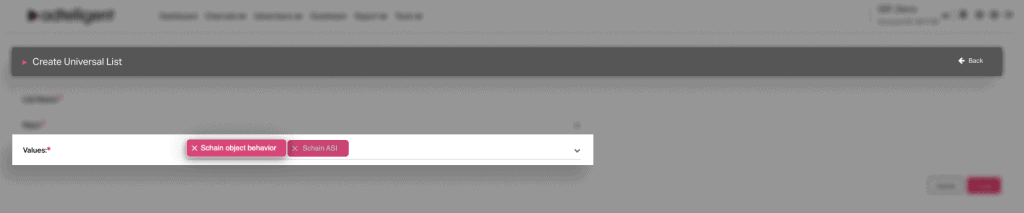
We’ve added a new Schain Object Behavior option to Universal Lists, giving you fine-grained control over how the Supply Chain object is handled for specific bundle IDs (or other keys).
With this update, you can decide whether the existing Supply Chain (Schain) should be kept as is, extended, or fully overridden — all through a clear, structured configuration.
When Schain Object Behavior is added to a list, the related Schain ASI value is automatically included to ensure correct processing. Clear tooltips and dropdown options guide setup, and CSV uploads are fully supported for bulk updates.
📍 Where to find it:
Tools → Global Lists → Universal Lists
This results in precise and scalable control over Supply Chain handling, helping you meet supply-chain transparency requirements while adapting behavior per partner or bundle.
Macro Support Added to Clickthrough URLs
We’ve added support for macro replacement in Clickthrough URLs for Direct Demand campaigns, across all tag types.
Macros placed in the Clickthrough (Click) URL are now correctly resolved in VAST, ensuring accurate click tracking and cleaner campaign execution.
📍 Where to find it:
Campaign Settings → Direct Demand Campaign Settings → All Tag Types
You get more flexible click tracking and better alignment with dynamic campaign and measurement requirements.
New FreeWheel SSP Values Added to Universal Lists
We’ve expanded Universal Lists with new FreeWheel-specific values, making it easier to manage and pass FreeWheel metadata across campaigns and sources.
You can now use the following FreeWheel values in Universal Lists:
- FW Site Section ID – for passing site or section identifiers
- FW Content Programmer Brand Channel (keywords) – for defining content channel metadata
📍 Where to find it:
Tools → Global Lists → Universal Lists → Values
These additions make FreeWheel integrations easier to configure, more consistent, and less error-prone, especially when managing targeting or metadata at scale through Universal Lists.
Partner Settings
SmartHub Prebid Partner Updated to Attekmi
We’ve updated the existing SmartHub Prebid integration — it’s now listed as Attekmi across all Prebid Server campaign settings.
Along with the rename, we’ve added automatic support for the partnerName parameter. When filled in once, the value is synced across the required fields to ensure consistent bidder configuration.
📍 Where to find it:
PBS Campaign Settings → Prebid Partner
This ensures smoother setup and consistent partner configuration for Attekmi-powered Prebid Server campaigns.
New Prebid Server Bidder: LimeLight Digital
We’ve added LimeLight Digital as a new Prebid Server bidder, making it available across all Prebid Server campaigns.
The integration comes with built-in bidder parameters and a ready-to-use default endpoint, so you can configure campaigns quickly without manual setup. Support for LimeLight Digital parameters is also available in Universal Lists, allowing centralized management and reuse across campaigns.
📍 Where to find it:
Prebid Server Campaign Settings → Prebid Partner
Tools → Global Lists → Universal Lists
This update ensures faster onboarding and consistent configuration for LimeLight Digital demand across your Prebid Server setup.
New OpenRTB Partner: Nexx360
We’ve added Nexx360 as a new OpenRTB partner, making it available for all RTB campaigns.
Nexx360 parameters are also supported in Universal Lists, allowing you to reuse and manage them centrally across campaigns.
📍 Where to find it:
RTB Campaign Settings → oRTB Partner
Tools → Global Lists → Universal Lists
You get faster and more reliable Nexx360 campaign setup, with consistent parameter handling across RTB campaigns and Universal Lists.
New Prebid Server Bidder: Ogury
We’ve added Ogury as a new Prebid Server bidder, making it available across all Prebid Server campaigns.
The integration includes built-in required parameters and a default endpoint, allowing you to configure Ogury demand quickly and consistently. Ogury parameters are also supported in Universal Lists, so you can manage and reuse them centrally across multiple campaigns.
📍 Where to find it:
Campaign Settings → Prebid Server Campaign Settings → Prebid Partner
Tools → Global Lists → Universal Lists
Get faster onboarding and cleaner configuration for Ogury demand across your Prebid Server setup, with centralized control via Universal Lists.
New Prebid Server Bidder: Sparteo
We’ve added Sparteo as a new supported Prebid Server bidder, expanding your demand options for server-side header bidding.
You can now run Prebid Server campaigns with Sparteo and manage its parameters both directly in campaign settings and via Universal Lists.
📍 Where to find it:
Campaign Settings → Prebid Server Campaign Settings → Prebid Partner
Tools → Global Lists → Universal Lists
This ensures quicker Sparteo integration, fewer manual steps, and consistent parameter management across campaigns and lists — all fully supported at the Prebid Server level.
Campaign and Source Settings
Updated API Metrics for Advertisers and Campaigns
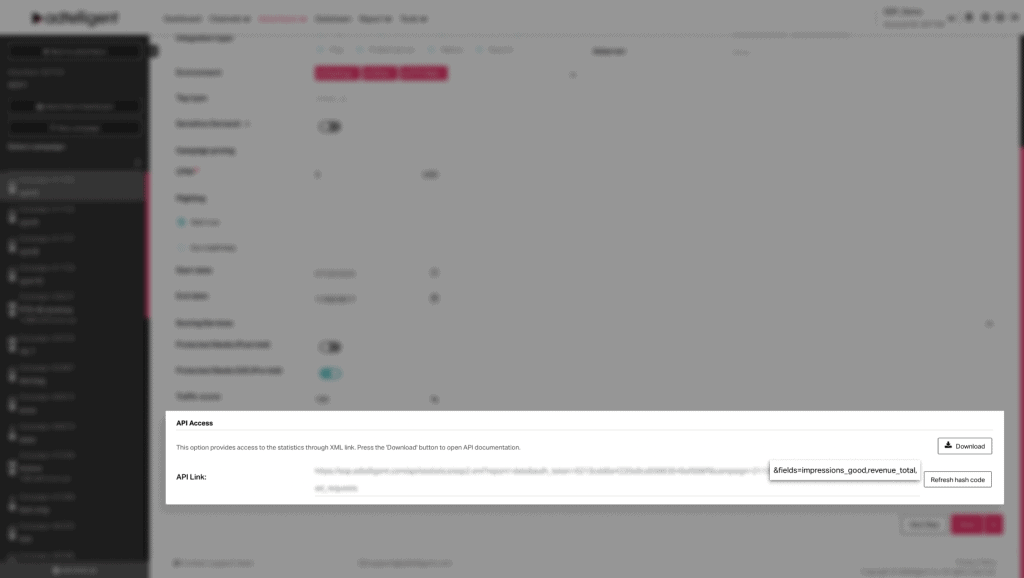
We’ve improved the API links available on the advertiser and campaign levels to better reflect demand-side performance.
From now on, API exports for advertisers and campaigns return advertiser-level metrics instead of generic delivery metrics. This makes reporting clearer and more accurate when you pull data via API.
📍 Where to find it:
Advertiser Settings → Basic Settings → API Access
Campaign Settings → Basic Settings → API Access
API links now return Advertiser Impressions and Advertiser Revenue. Older delivery-focused metrics are no longer used for demand-side API reporting
You get more relevant API data for advertisers and campaigns, making external reporting, BI dashboards, and financial analysis easier and more accurate.
“White” Filters Now Require Explicit Selection
We’ve made whitelisting more consistent and reliable across all targeting settings.
When you choose the “White” filter type, the related selection field is now required, meaning you must explicitly define what should be whitelisted before saving a source or campaign.
This behavior now applies across all targeting fields, including countries, apps, bundles, OS, devices, domains, categories, and more. Required fields are clearly marked, and the system prevents saving incomplete configurations.
📍 Where to find it:
Source / Campaign Settings → Advanced Settings → Targeting
The main benefit of its updates is that it prevents accidental empty whitelists, reduces setup errors, and ensures targeting rules behave exactly as intended.
Aligned Demand & Supply Type Selection
We’ve unified how Demand Type and Supply Type selection works, making setup consistent, flexible, and easier to manage.
Demand and supply types now work as a multi-select everywhere, and you can update them even for existing campaigns and sources.
📍 Where to find it:
RTB Source Settings → OpenRTB Settings → Supply Type
RTB / PBS Campaign Settings → OpenRTB Settings → Demand Type
Demand and supply types can be selected together where compatible. You can update types after a campaign or source is already created.
How it works:
- Selecting Video allows Display and Audio
- Selecting Display allows Video and Audio
- Selecting Audio allows Video and Display
- AdPush, Native, and Pop remain standalone options
You get more flexibility for mixed inventory setups, fewer restrictions when updating live campaigns, and a fully consistent experience across the platform.
More Accurate Ad Request Caps
We’ve improved how Daily and Hourly Ad Request caps work to make traffic limits more precise and predictable.
Ad Request caps are now calculated based on raw incoming ad requests, rather than filtered or processed requests. This means both Daily Cap and Hourly Cap now reflect the actual volume of traffic hitting your source.
📍 Where to find it:
Source Settings → Source Capping → Ad Requests (Daily / Hourly)
Your caps now behave exactly as expected — no hidden offsets caused by internal filtering or processing steps. This gives you:
- More accurate traffic control
- Clearer forecasting
- Better protection against traffic spikes
In short: when you set a cap, it now applies to the real number of incoming requests — nothing more, nothing less.
Reports & Metrics
QPS Metrics Cleanup and Improvements
We’ve refined how QPS (Queries Per Second) metrics are displayed to keep reporting clear and accurate.
The QPS (Source/Campaign) metric has been removed from standard reports for all users, as it’s no longer relevant for most reporting use cases. This helps reduce noise in reports and keeps the focus on actionable performance metrics.
The QPS metric is also now accessible via the public API for automated reporting.
📍 Where to find it:
Reports → Wizard → Common metrics
You get cleaner reports by default, and when QPS is needed, it’s now calculated and displayed correctly.
Final Word
We’re excited about these product updates and their potential to improve your experience with Adtelligent.
As always, your feedback is invaluable in helping us shape the platform to better serve your needs. Stay tuned for more updates in the next quarter!